
What's better than fantastic, usually comes 7 days after a Vivaldi desktop release and is likely to make you and your mobile smile? It’s a Vivaldi mobile release!
Vivaldi 7.9 for Mobile is a big one. iOS users finally get a signature Vivaldi feature Android fans have enjoyed for years, Two-Level Tab Stacks! Both Android and iOS get the daily image feature, to add some sparkle to your day. Android users also get a taste of Desktop Mode.
Let's dive into what's new:
iOS: Stack up, switch over, and make it yours
Two-Level Tab Stacks arrive on iOS
It's here. The feature Android users have been putting to work since 2021 has finally made its way to Vivaldi on iOS.
Two-Level Tab Stacks let you group your tabs and see them all at once, no more scrolling through an endless single row. Your stacks sit in the top row of the Tab Bar, and the tabs inside that stack appear in the row below. Open what you need, hide what you don't. The second row only appears when you're inside a stack, so things stay clean when you just want to browse.
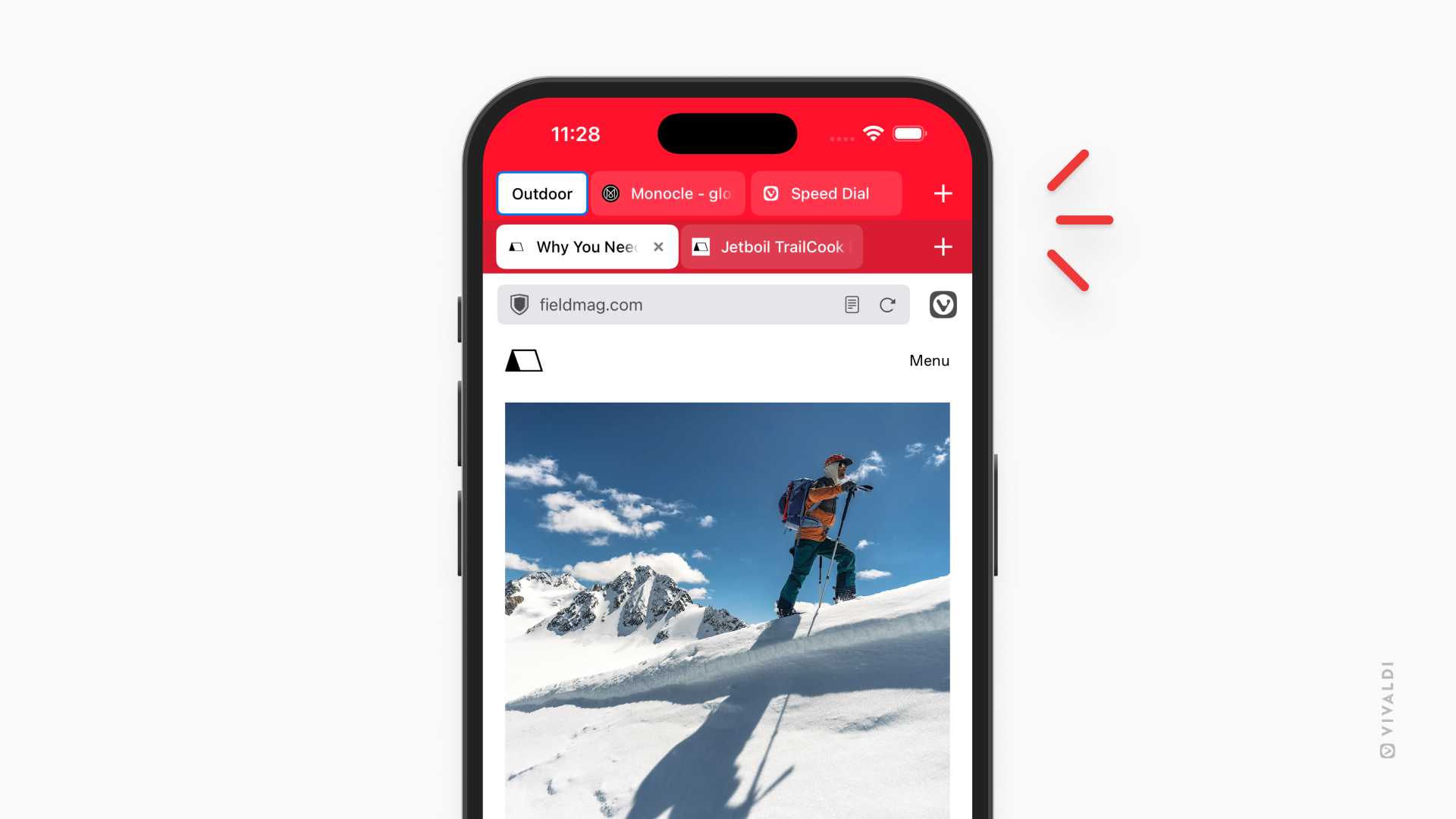
If you've ever found yourself drowning in tabs (research, shopping, planning a trip, keeping up with news), you'll immediately get why this matters. You can keep everything open without losing your mind. Work tabs in one stack, weekend reading in another. Each group is tidy, accessible, and right there in your Tab Bar.
To get started, long-press the New Tab button and choose "New Tab Stack." You can choose between two styles of tab stacking: Two-Level or Accordion. To pick your style, go to Settings > Tabs > Tab Stacking Style.
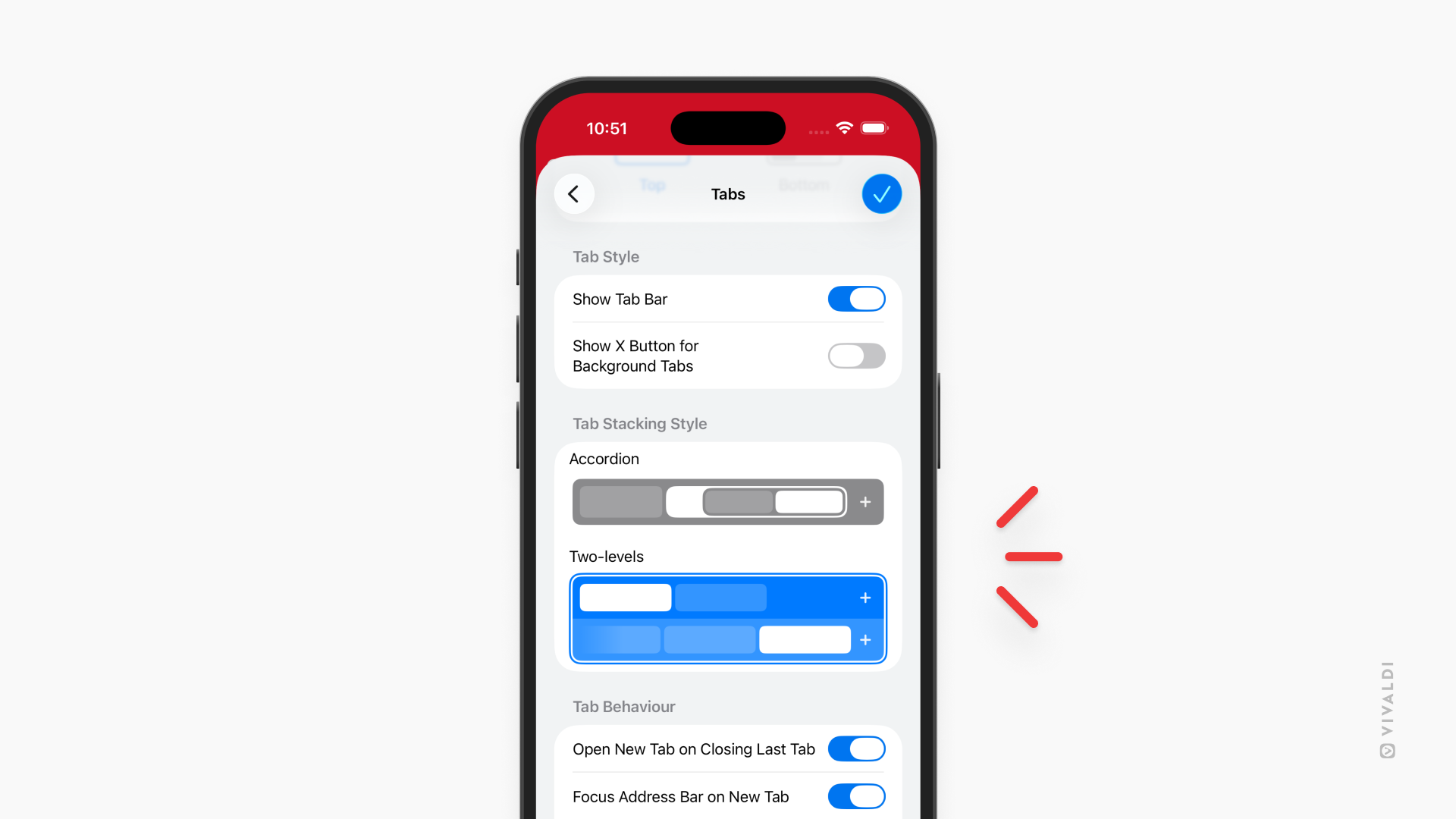
No other mobile browser offers this. We built it for Android first, refined it based on your feedback over the years, and now it's yours on iOS too.
A new view, every day
The Daily Image has always been one of those small things that makes Vivaldi feel a little more alive. Every day, a new photograph appears on your Start Page, something beautiful, something unexpected, something worth a second look.
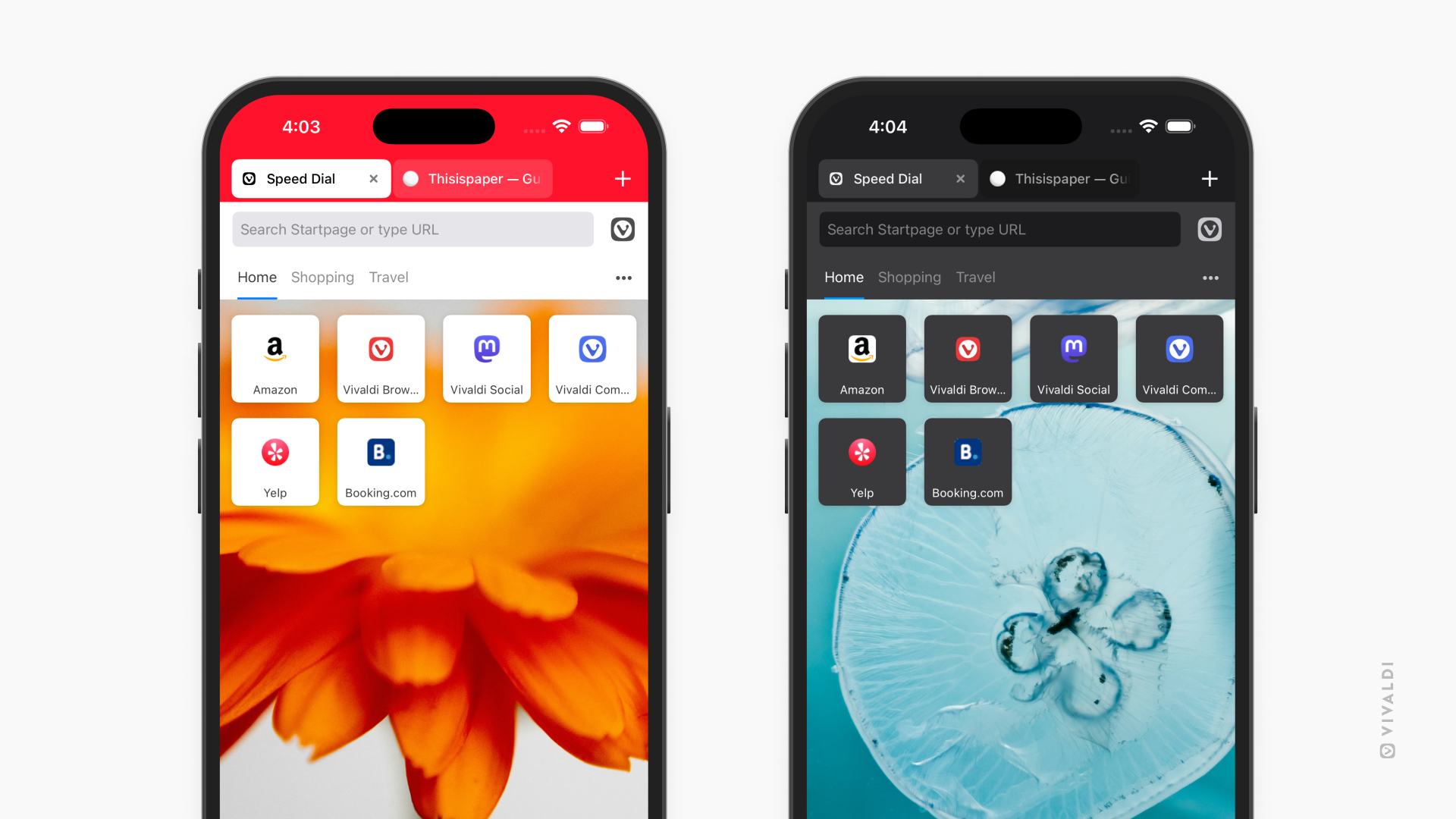
In Vivaldi 7.9 for iOS, you can take it one step further. There's now an option to use your Daily Image directly as your wallpaper. Your Start Page and your home screen, in perfect sync, both dressed in the same image, refreshed every day without any effort from you.
It's a small thing, but it makes your phone feel a bit more like yours.
You can enable Daily Image from the Start Page:
Tap the three dots or Customize button > Use Daily Image
or from Settings:
Settings > Start Page > Wallpaper > Use Daily Image
Import from Safari in seconds
Switching browsers shouldn't feel like starting from scratch. In Vivaldi 7.9 for iOS, it doesn't have to.
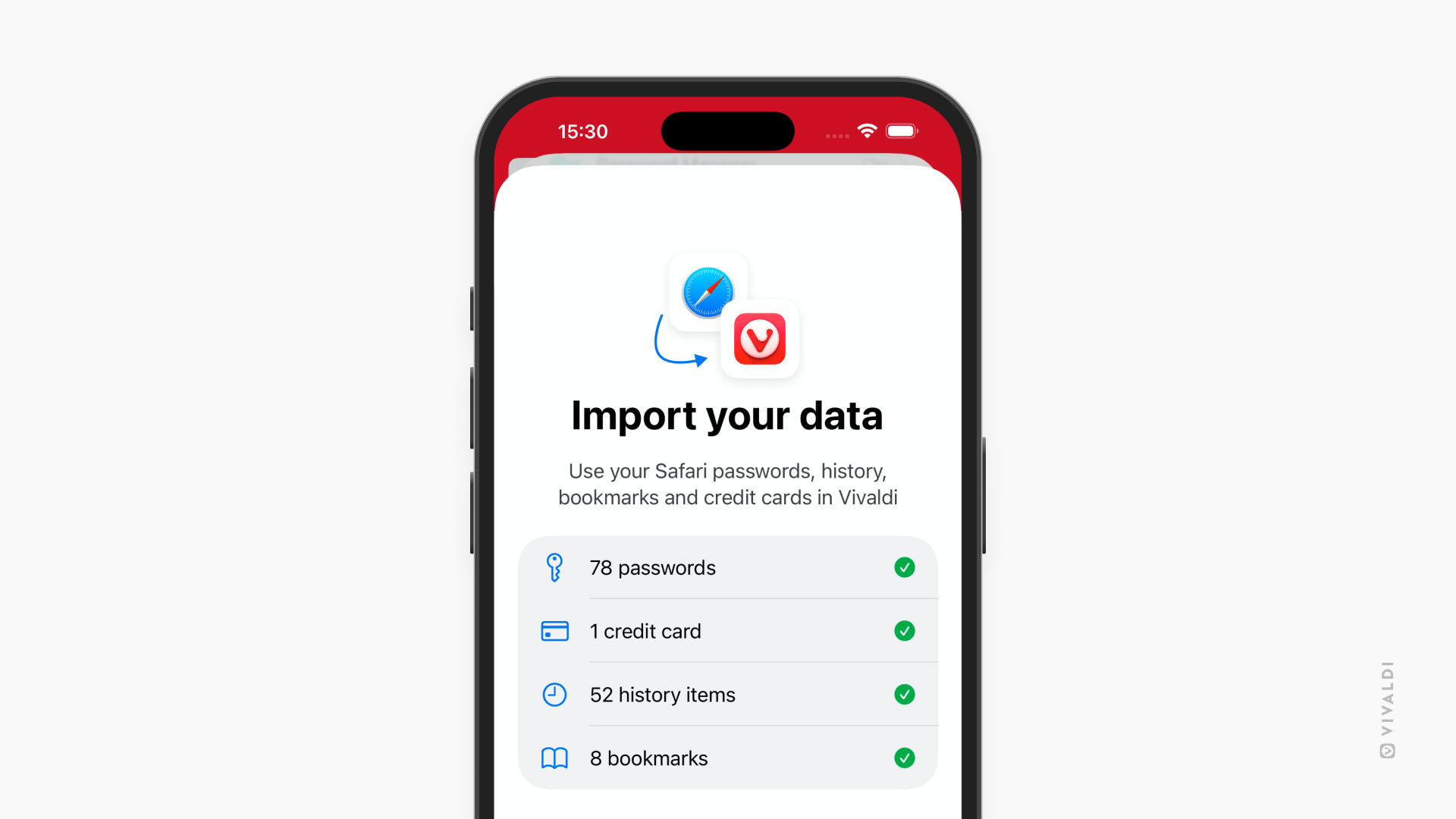
You can now import your browsing data directly from Safari. Bring your bookmarks, passwords, history, stored credit card info and more, right into Vivaldi. If Safari has been your default, everything you've built up there can come with you. It takes a mere moment, and you'll feel right at home.
To import from Safari, go to Settings and there you’ll find the option “Safari import".
If you've been curious about trying Vivaldi but held back because of the friction of moving over, that friction is now gone.
Android: A beautiful daily image and Desktop Mode improvements
Daily Image comes to Android
The Daily Image feature is now on Vivaldi for Android. Every day, a new photograph fills your Start Page, curated, beautiful, and a welcome change from the usual blank slate.
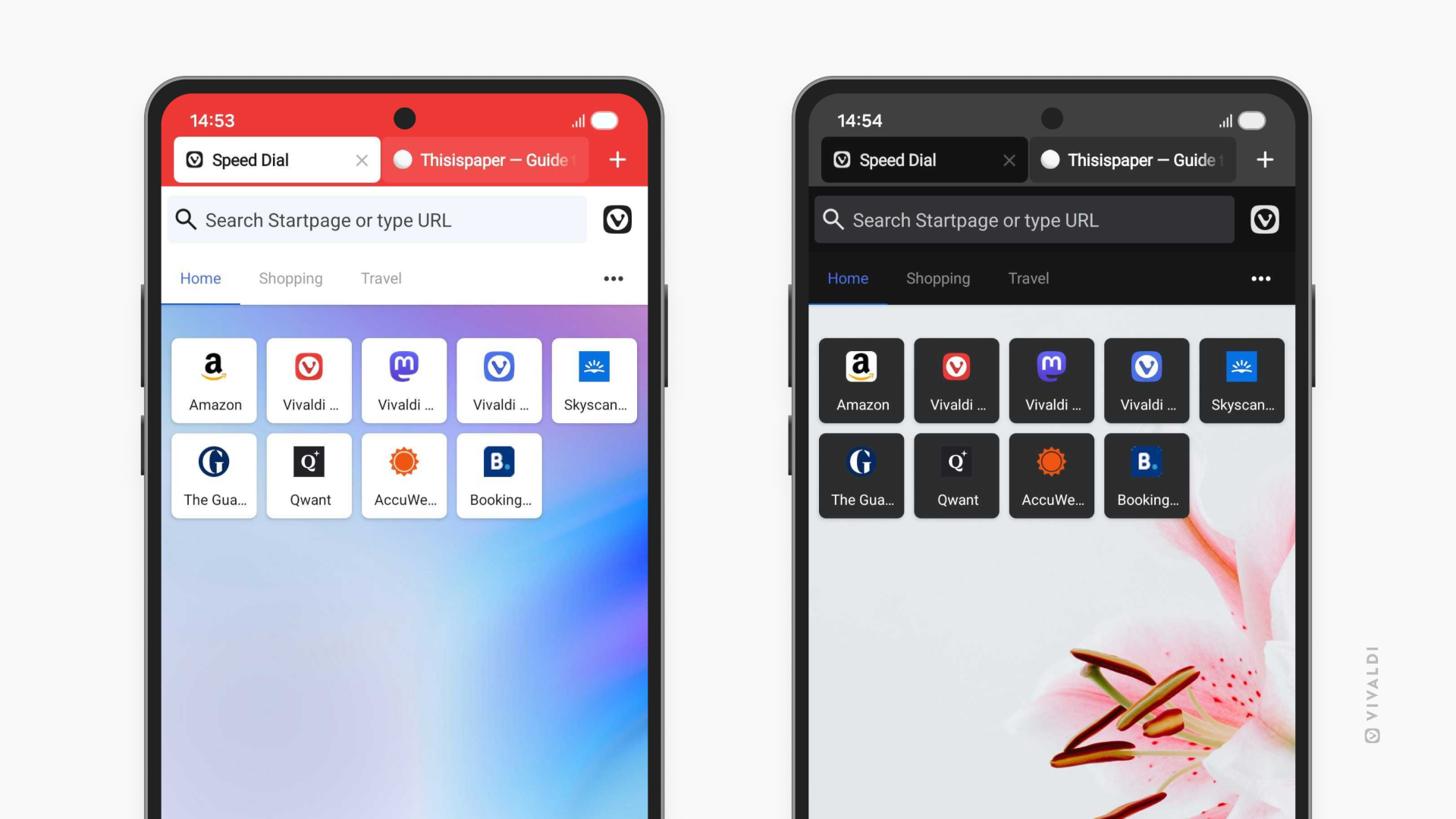
Your Start Page has always been the place where browsing begins. Now it's worth a proper look.
Put your mobile to work with DeX and Desktop Mode
We continue refining DeX and Desktop Mode support for Android power users. Browsing in Desktop Mode for your mobile device is already available as DEX on Samsung devices, while for Android it is still in Beta. We know many of you are eager to test what the experience will be like.
We are very excited about Desktop Mode on Android. It turns your phone into a desktop computer, when connected to a screen, keyboard and mouse. Our goal is to make that experience as powerful as possible, just as you’d expect from Vivaldi. And with the most powerful mobile browser available, we have a head start. Not only do you have real tabs, you have powerful tab management features, like Tab Stacks and Two-Level Tab Stacks. You also have panels for quick access to your Bookmarks, History, Notes, Translate and Downloads.
With 7.9, we are including further improvements to how Vivaldi behaves in these environments, steadily getting better as we work toward a more complete experience. More on that front is coming soon.
Vivaldi 7.9 for Mobile is available now. Update through the Play Store or App Store.
Download Vivaldi 7.9 for Android👇


Download Vivaldi 7.9 for iOS👇

As always, thank you for being part of the Vivaldi community. Together, we’re fighting for a better web, one release at a time.
Best
Team Vivaldi


No comments:
Post a Comment